


Starting a how to start polaris pool cleaner unit correctly depends on whether you are using a robotic, suction-side, or pressure-side model. Robotic units require a charged battery or connected power supply and a clear path to the pool, while suction-side cleaners need adequate pump flow and proper plumbing connections. Pressure-side models often require a dedicated booster pump to generate the necessary propulsion and suction power.
Many pool owners face initial startup challenges due to incorrect plumbing, low pump settings, or debris blocking the intake. Ensuring the pool filter is clean and the pump is running at the recommended speed is critical for these systems to function as designed. This guide outlines the specific steps for each cleaner type to help you get your equipment running smoothly and safely.





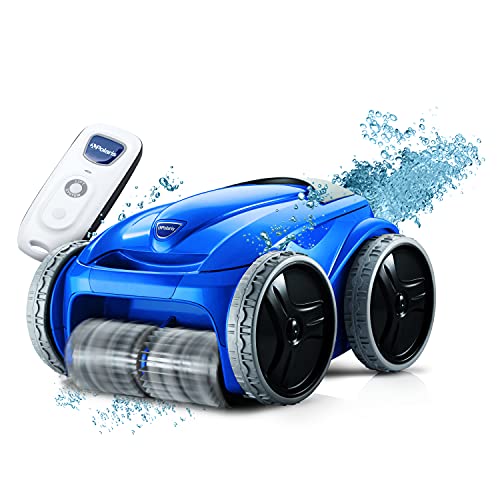
The process for initiating a cleaning cycle varies significantly based on the propulsion method and power source of the unit. Robotic cleaners operate independently of the pool pump, relying on internal motors and batteries, whereas suction and pressure-side units are mechanical devices driven by the pool’s circulation system. Understanding these distinctions prevents common startup errors such as running a suction cleaner on a low-flow variable-speed pump or attempting to use a pressure-side cleaner without a booster pump.
| Cleaner Type | Power Source | Primary Startup Requirement |
|---|---|---|
| Robotic | Battery or Corded AC | Charged battery or GFCI outlet connection |
| Suction-Side | Pool Circulation Pump | Minimum 1.0 HP pump or dedicated suction line |
| Pressure-Side | Booster Pump or Return Line | Dedicated booster pump or retrofitted return line |
Before placing any unit in the water, verify that the filtration system is ready to handle the additional load. A clogged filter basket or restricted pool filter reduces the flow rate, which can cause suction-side cleaners to stall or pressure-side units to lose propulsion. For robotic models, ensure the power supply or battery is fully charged and that the control box is dry and properly seated. These preliminary checks save time and protect the equipment from unnecessary strain during the first few minutes of operation.
Robotic Cleaner Startup and Connectivity
Robotic cleaners like the Polaris PCX 868 iQ or the 9650iQ Sport use internal motors and navigation systems to clean the pool floor and walls. To start these units, first ensure the battery is charged if it is a cordless model, or that the power cord is fully uncoiled and the swivel mechanism is free of tangles for corded versions.
Connect the power supply to a grounded GFCI outlet, which is a critical safety requirement for any electrical device used near water. The GFCI outlet must be located outside the pool area and easily accessible for emergency shutdown.
Once the power is connected, the cleaner typically performs a self-diagnostic before entering the water. For Wi-Fi enabled models, you may need to connect to the iAquaLink app to start the cycle or select a specific cleaning mode. This app allows you to monitor status, view cycle timers, and troubleshoot issues remotely.
If the cleaner does not move after being placed in the water, check for error codes on the control unit or app, which often indicate battery issues or motor faults. Ensure the water level is sufficient to cover the intake and that no debris is blocking the filter canister.
Cordless models offer the convenience of no trailing cables, but they have limited runtime. Before starting a cycle, confirm the battery charge level meets the requirements for your pool size. A partially charged battery may result in the cleaner stopping in the deep end, requiring manual retrieval with a hook.
For corded models, manage the cable length carefully to prevent tangling, even with swivel technology. The cable should be long enough to reach the far end of the pool without stretching. Proper cable management is essential for maintaining consistent suction and preventing the unit from getting stuck.
Suction-Side Cleaner Plumbing and Pump Flow
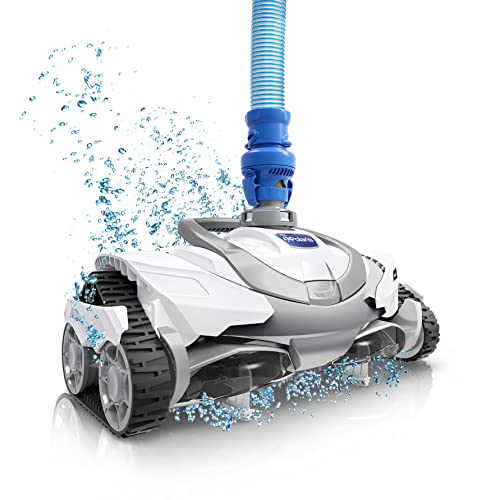
Suction-side cleaners rely entirely on the pool pump’s suction to move and clean. Models like the Polaris MAXX Premium are designed to connect to a dedicated 1.5-inch suction line or a skimmer vacuum plate. To start this type of cleaner, first ensure the pool pump is running at the correct speed.
Variable-speed pumps must be set to a high RPM to generate enough flow, as low speeds will not provide sufficient suction to move the cleaner or lift debris. The pump must meet the minimum horsepower requirement, typically 1.0 HP or higher, to function effectively.
Connect the cleaner’s hose to the dedicated suction line or skimmer port, ensuring all fittings are tight and sealed to prevent air leaks. Air leaks reduce suction power and can cause the cleaner to bounce or move erratically. Prime the hose by filling it with water before attaching it to the cleaner to minimize air pockets. Once connected, lower the cleaner into the pool and ensure it is fully submerged. The pump’s suction will draw the cleaner along the pool floor and up the walls, depending on the model’s capabilities.
If the cleaner does not move, check for blockages in the hose or the cleaner’s inlet. Debris can accumulate in the hose over time, restricting flow. Also, verify that the pool filter is not clogged, as a restricted filter reduces overall system flow.
Suction-side cleaners are sensitive to flow rates, so maintaining a clean filter and proper pump settings is crucial for consistent performance. The cleaner should move smoothly and consistently; erratic movement often indicates a plumbing issue or insufficient flow. Regularly inspect the hose for cracks or leaks that could compromise the suction seal.
For more on a connected point, our page on how to open polaris pool cleaner goes into it separately.
Pressure-Side Cleaner Booster Pump Setup
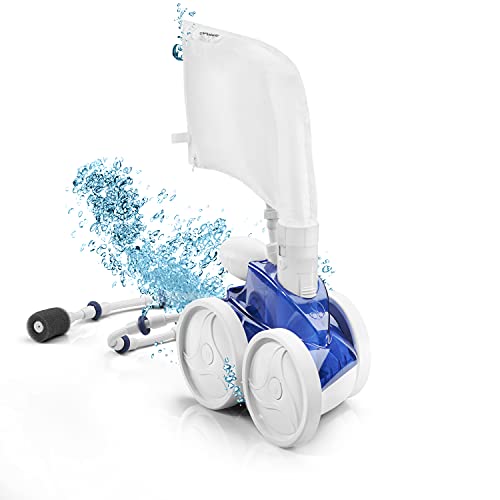
Pressure-side cleaners, such as the Polaris Vac-Sweep 380 or 280, use a separate booster pump to create the water pressure needed for propulsion and suction. To start these units, you must first install and connect the booster pump to the pool’s return line. The booster pump increases the water pressure, which powers the cleaner’s venturi jets and drives its movement. Ensure the booster pump is correctly plumbed and that all connections are secure to prevent leaks and pressure loss.
Connect the feed hose from the booster pump to the cleaner, and attach the cleaner to the return line using the appropriate fittings. The hose should be routed to avoid sharp bends or kinks, which can restrict water flow and reduce cleaner performance.
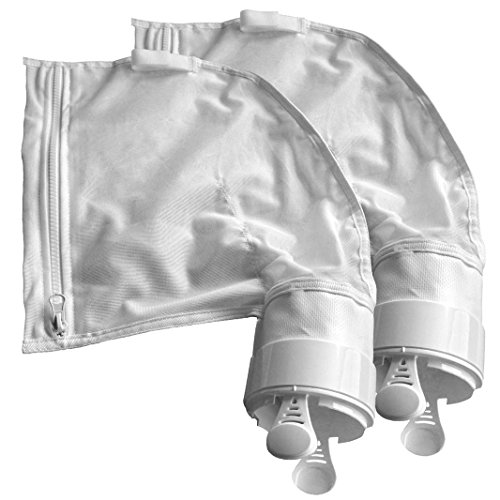
Prime the system by filling the hose and cleaner with water before starting the booster pump. Once the pump is running, the cleaner will begin to move, propelled by the high-pressure water jets. The venturi jets create suction that draws debris into the filter bag, while the pressure drives the cleaner across the pool surface.
Some models, like the Polaris Vac-Sweep 360, can operate without a dedicated booster pump by attaching to a standard return line. However, this requires a retrofit kit to convert the return line into a dedicated cleaner line. Without proper pressure, the cleaner may not move effectively or may lose suction. Always follow the manufacturer’s instructions for plumbing and booster pump requirements. Incorrect plumbing can lead to poor cleaning performance or damage to the pool’s filtration system. Verify that the pressure relief valve is functioning correctly to prevent over-pressurization.
- Verify the pool pump is running at the recommended high speed for suction-side units.
- Ensure all plumbing connections are tight and sealed to prevent air leaks and pressure loss.
- Prime the hoses with water to remove air pockets before starting the cleaner.
- Check that the pool filter is clean and not restricted to maintain optimal flow rates.
- Confirm the GFCI outlet is functioning and easily accessible for robotic cleaner power supplies.
- Inspect the cleaner’s intake and filter basket for debris before starting the cycle.
Common Startup Failures and Troubleshooting
Despite proper setup, cleaners may fail to start or move correctly due to several common issues. For robotic units, a dead battery or faulty power supply is a frequent culprit. Check the battery charge level and ensure the power cord is not damaged.
For Wi-Fi models, connectivity issues can prevent the cleaner from starting; reset the app or re-pair the device if necessary. If the cleaner moves but does not clean effectively, the filter canister may be clogged, or the brushes may be worn. Regular maintenance of these components is essential for sustained performance.
Suction-side cleaners often stall if the pump flow is insufficient or if there is a blockage in the hose. Check the pump speed and ensure the filter is clean. A kinked hose or loose fitting can also cause air leaks, reducing suction. Pressure-side cleaners may fail to move if the booster pump is not providing adequate pressure or if the hose is kinked.
Verify the booster pump operation and inspect the hose for obstructions. In all cases, refer to the user manual for specific error codes or troubleshooting steps. Addressing these issues promptly prevents damage to the cleaner and ensures effective cleaning.
Another common issue is the cleaner getting stuck on raised main drains, steps, or steep slopes. While newer models feature advanced navigation and drive systems to overcome these obstacles, older or simpler units may still struggle. If your cleaner frequently gets stuck, consider using a model with enhanced climbing capabilities or adjust the pool’s flow rate to improve propulsion. For robotic cleaners, ensure the waterline is clear of debris that could obstruct the unit’s path. Regularly inspect the pool for obstructions that could interfere with the cleaner’s movement.
- Check battery charge and power supply connections for robotic cleaner units.
- Verify pump flow rate and filter cleanliness for suction-side cleaner operation.
- Inspect booster pump pressure and hose integrity for pressure-side cleaner performance.
- Look for air leaks in suction-side plumbing connections that reduce cleaning power.
- Ensure the cleaner’s intake is not blocked by large debris or clogged filter media.
- Reset Wi-Fi connectivity for smart robotic cleaners if the app cannot communicate.
Safety and Maintenance for Reliable Operation
Safety is paramount when operating pool cleaners, especially those with electrical components. Always use a GFCI-protected outlet for robotic cleaners to prevent electrical hazards. Ensure the power supply is weatherproof and located away from the pool edge to avoid water exposure. For suction and pressure-side cleaners, follow proper plumbing practices to prevent leaks or pressure buildup. Never operate a cleaner while swimming in the pool, as this poses a safety risk and can damage the equipment. Disconnect power sources before performing any maintenance or cleaning tasks.
Regular maintenance extends the life of your pool cleaner and ensures consistent performance. Clean the filter canister or bag after each use to remove accumulated debris. Rinse the cleaner’s exterior and intake with fresh water to prevent chemical buildup and corrosion. Inspect the hoses, fittings, and brushes for wear or damage, and replace parts as needed. For robotic cleaners, check the battery health and charge cycles, and store the unit in a cool, dry place when not in use. Proper storage protects the electronics and mechanical components from environmental damage.
Water balance is also critical for cleaner longevity. High chlorine levels or unbalanced pH can degrade plastic components, seals, and brushes. Maintain proper water chemistry to prevent chemical damage to the cleaner. During pool shock treatments, remove the cleaner from the pool to protect it from high chlorine concentrations. Follow the manufacturer’s guidelines for chemical exposure and maintenance intervals.
By adhering to these safety and maintenance practices, you can ensure your Polaris pool cleaner operates reliably and effectively for years to come. If you are dealing with specific plumbing issues, our pool equipment guide offers additional insights on maintaining optimal system performance.



Write Your Review
No reviews yet. Be the first to share your experience!