
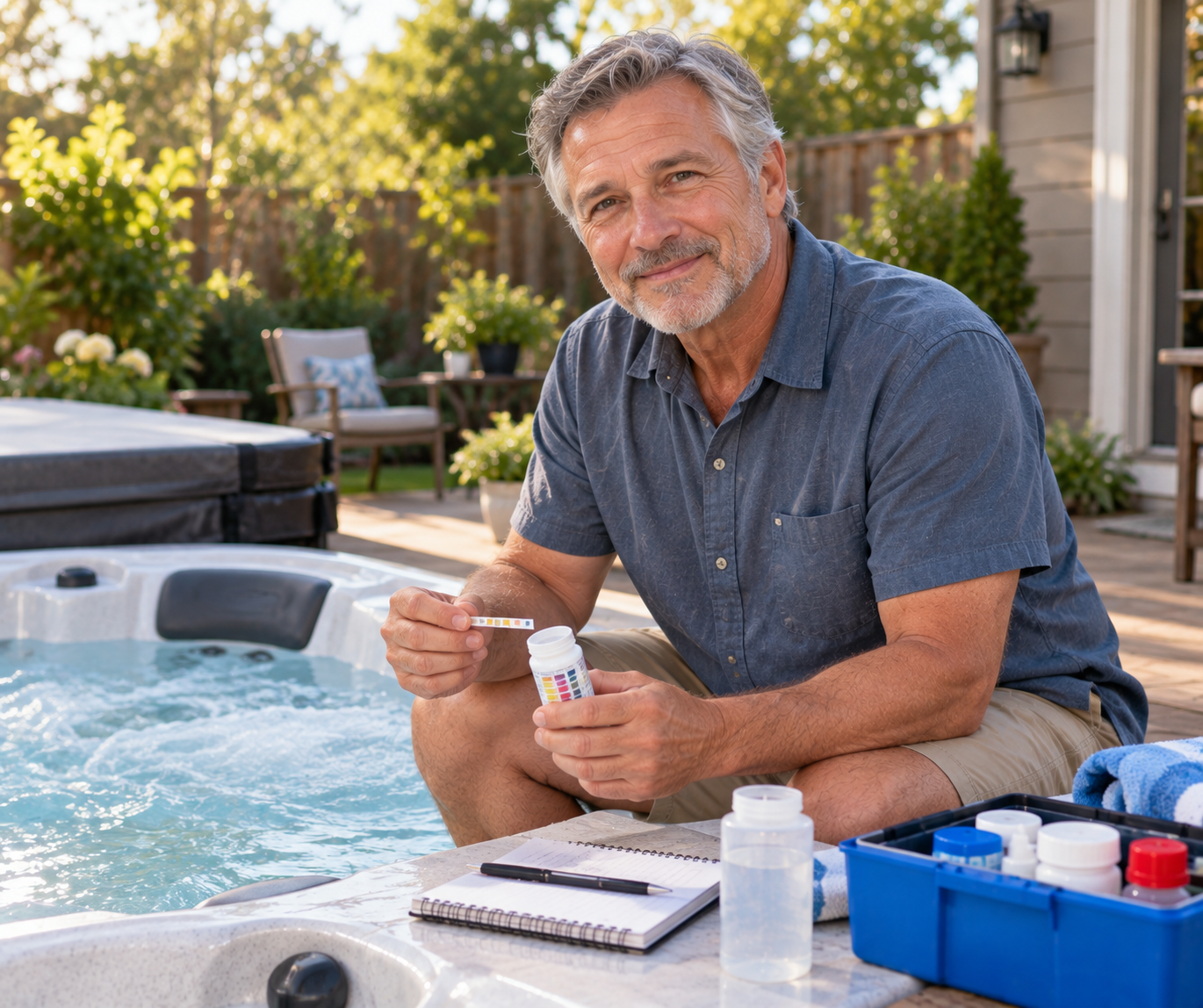

Walking across a cold patio just to check spa temperature or manually log chemical readings can disrupt the entire relaxation experience. Integrating modern wireless controls changes that routine by providing real-time data directly to your smartphone. Figuring out how to connect hot tub to wifi networks allows owners to monitor heating cycles, track filtration, and automate chemical management without constantly lifting heavy covers. A secure setup protects your investment, especially when paired with a durable yard patio hot tub cover designed to preserve water temperature while your digital sensors do the work.
Wireless spa accessories and control packs bridge the gap between traditional mechanical components and modern automation. Connecting these devices requires understanding 2.4 GHz frequency bands, proper router positioning, and signal penetration through dense structural spa cabinets. Modern tools like the Digital Pool Water Tester Photometer utilize both Bluetooth and Wi-Fi connectivity to transmit detailed water chemistry measurements straight to dedicated mobile applications. Taking the time to establish a reliable connection ensures seamless temperature regulation, timely maintenance alerts, and safer soaking conditions throughout every season.

Technical Guide on Connecting Your Spa to Wireless Networks
Establishing a reliable wireless connection between your home network and your hot tub unlocks total remote oversight. Whether pairing an integrated spa pack transceiver or linking an external digital water analyzer, wireless access allows you to manage heating, monitor filtration, and receive instant diagnostic alerts. Outdoor spa equipment faces unique physical and electrical hurdles that indoor smart devices never encounter. Understanding how radio signals navigate structural insulation and outdoor weather enclosures is the first step toward building a stable connection.
Understanding Wireless Spa Network Architecture
Most spa control modules and digital testing instruments operate exclusively on the 2.4 GHz radio frequency band. Modern residential routers frequently combine 2.4 GHz and 5 GHz bands under a single network name using automatic band steering. This combined broadcast often confuses outdoor spa hardware, which lacks the dual-band negotiation chips found in modern smartphones. Setting up a dedicated 2.4 GHz guest network or splitting your router bands into distinct network names prevents connection drops during the initial setup handshake.
Bandwidth requirements for outdoor spa electronics remain modest, usually needing only a few kilobytes per second to transmit temperature updates and pump states. However, signal consistency and low latency are critical for maintaining continuous cloud reporting and timely push notifications. If signal strength drops below negative seventy decibel milliwatts at the equipment pad, data packets will fail to synchronize properly. Testing your signal with a mobile phone while standing directly next to the equipment bay provides an accurate baseline before starting configuration.
Overcoming Physical Signal Barriers Around the Spa Cabinet
Hot tubs present significant physical barriers that degrade radio frequency transmission much faster than standard home walls. Spa shells are constructed from thick cast acrylic backed by multiple layers of structural fiberglass and dense polyurethane foam. Furthermore, premium synthetic cabinets often incorporate reflective thermal foil barriers to redirect radiant heat back toward internal plumbing. When you combine high-density foam, foil shielding, and hundreds of gallons of water, radio waves struggle to penetrate the equipment compartment.
Water is an exceptional absorber of 2.4 GHz radio frequencies because the wavelength closely matches the resonant frequency of water molecules. Placing a wireless module directly beneath a filled vessel creates an effective signal dead zone from several directions. Mounting transceiver antennas high within the cabinet corner or routing external antennas just beneath the cabinet rim dramatically improves transmission range. Maintaining a well-sealed perimeter with a high-density thermal spa cover also protects internal electronics from moisture buildup while preserving stable cabinet temperatures.
Backyard layout elements such as brick masonry, reinforced concrete foundation pads, and low-emissivity patio glass doors further weaken signals. If your spa sits more than thirty feet from your indoor router, an outdoor rated Wi-Fi extender or mesh access point is usually necessary. Position the outdoor node with a direct line of sight to the equipment corner to eliminate signal reflection. Establishing clear line-of-sight propagation ensures that data packets reach the cloud without relying on aggressive hardware retransmissions.
Step-by-Step Wireless Configuration for Hot Tub Modules
Before initiating the digital pairing sequence, turn off power to the hot tub at the dedicated external GFCI disconnect switch. Access the equipment compartment, locate the primary control board, and verify that the wireless interface cable is securely seated into the designated low-voltage communication port. Once the physical connection is confirmed, close the access panel tightly to prevent accidental moisture intrusion. Restore power at the breaker panel and observe the topside control display as the spa completes its initialization diagnostic cycle.
Download the companion mobile application recommended by your control pack manufacturer onto your smartphone or tablet. Stand within ten feet of the spa cabinet with your phone connected to the local 2.4 GHz wireless network. Put your mobile device into pairing mode, which typically involves enabling Bluetooth to discover the spa module broadcast beacon. When the application identifies the hardware, select the device and input your home wireless network security key when prompted.
Allow the module two to three minutes to complete its dynamic host configuration protocol request and acquire a local IP address. Once connected, the transceiver indicator light generally shifts from a blinking pairing status to a steady illumination. The mobile application should display current water temperature, filtration status, and active pump states in real time. If the handshake stalls, restarting your home router and re-entering the Wi-Fi credentials resolves the majority of negotiation failures.
Integrating App-Enabled Smart Water Photometers
Complete spa management extends beyond simple water temperature control to precise sanitization monitoring. Devices like the Digital Pool Water Tester Photometer offer advanced multiparameter testing using onboard Bluetooth and Wi-Fi synchronization. This IP68 waterproof analyzer measures critical chemical parameters without relying on subjective color comparison strips. The unit transfers measured absorption readings directly to dedicated iOS and Android applications, creating an accurate historical log of water balance.
Pairing a smart photometer follows a hybrid connection protocol that begins over Bluetooth before establishing cloud connectivity. During initial bench setup, power on the tester and open the companion mobile app to link the device via short-range radio. Once paired locally, navigate to the network settings tab within the app to enter your 2.4 GHz Wi-Fi credentials. The device saves these parameters to its internal memory, allowing it to upload chemical reports automatically whenever connected to home wireless coverage.
Unlike basic floating sensors that remain in the water continuously, precision photometers utilize reagent tablets such as DPD N1 and Phenol Red inside a dedicated cuvette. You draw a precise water sample using the included syringe, dissolve the appropriate reagent tablet, and allow the digital optical sensor to calculate the reading. Connecting the photometer to Wi-Fi allows these highly accurate results to synchronize across multiple household devices or service accounts. This remote accessibility eliminates guesswork and ensures consistent dosing schedules throughout weekly maintenance routines.
Managing Water Chemistry and Chemical Balancing Remotely
Automated testing hardware transforms raw data into actionable maintenance steps through cloud algorithms. Maintaining total alkalinity between 80 and 120 parts per million provides necessary buffering against sudden pH swings. The connected app tracks alkalinity trends over time, alerting you before drift causes eye irritation or mineral scaling on the heater element. When adjustments are necessary, digital logs guide exact chemical dosing rather than relying on rough estimates.
Managing pH within the ideal 7.2 to 7.8 range is essential for preserving bather comfort and sanitizer efficacy. If pH rises too high, free chlorine becomes sluggish and significantly less effective at neutralizing organic contaminants. Conversely, acidic water below 7.2 corrodes internal pump seals and degrades heating manifolds over time. Cloud-connected analyzers record historical pH shifts after high bather loads, allowing you to fine-tune aeration cycles and chemical additions proactively.
Tracking sanitizer residuals, cyanuric acid, and calcium hardness completes the digital water profile. Using a multi-parameter photometer capable of measuring up to 27 parameters ensures that water chemistry remains balanced across seasonal changes. Storing these metrics in cloud databases helps identify gradual chemical buildup, such as excessive stabilizer levels that cause chlorine lock. When total dissolved solids rise excessively, the application can notify you that a scheduled drain and refill is due.
Troubleshooting Wireless Drops and IP Configuration
Intermittent signal loss is the most common issue encountered after linking outdoor spa components to residential Wi-Fi networks. Modern mesh routers frequently attempt to steer connected clients to 5 GHz frequencies to maximize local throughput. Because outdoor spa chips cannot communicate on 5 GHz, the router drops the connection entirely during band migration. Resolving this requires accessing your router management console and locking the spa module MAC address exclusively to the 2.4 GHz frequency channel.
Assigning a static IP address to your wireless spa transceiver prevents network address collisions following power outages. Residential routers reassign dynamic addresses upon rebooting, which can leave remote spa modules searching for expired network leases. Setting a reserved DHCP reservation guarantees that the spa hardware reconnects immediately after brief power fluctuations. Additionally, selecting a fixed wireless channel such as channel 1, 6, or 11 reduces interference from neighboring outdoor networks.
Environmental moisture, heavy rainfall, and cold weather can also alter radio frequency propagation across your backyard. Water droplets collecting on exterior siding or dense foliage absorb radio signals and weaken transmission paths temporarily. If connection drops coincide with rainy weather, elevating your external network node or installing an outdoor rated directional antenna provides the necessary signal gain. Consistently verifying physical antenna orientation ensures dependable performance through changing seasonal conditions.
Electrical Safety and Code Compliant Network Placement
Installing network hardware near outdoor water features requires strict adherence to National Electrical Code standards. National Electrical Code Article 680 mandates that all electrical outlets and line-voltage equipment maintain minimum safe clearances from the inside water edge. Specifically, general convenience receptacles and network power supplies must be positioned at least six feet away from the water boundary unless protected by approved enclosures. Any power source serving network accessories in the outdoor perimeter must incorporate ground fault circuit interrupter protection.
Never run standard indoor extension cords or unrated power transformers across the patio to power Wi-Fi extenders. Outdoor access points should utilize power-over-ethernet architecture with ultraviolet resistant, direct-burial rated cabling. Routing low-voltage networking cables through rigid non-metallic conduit protects the wiring from mechanical damage and garden tools. Maintaining these physical safety separations prevents electrical hazards while establishing a durable infrastructure for your backyard automation gear.
Low-voltage transceivers installed directly inside the spa cabinet must remain segregated from high-voltage pump and heater wiring. Electrical safety standards require physical separation between class two low-voltage circuits and line-voltage branch wiring inside equipment enclosures. Ensure that wireless transceiver cables run along dedicated raceways away from forty-amp and fifty-amp contactor terminals. Proper cable routing prevents electromagnetic interference from inducing false readings or causing communication errors within the control pack.
Winter Freeze Safeguards and Automated Temperature Monitoring
Maintaining reliable wireless communication becomes critical during severe winter freezes when rapid temperature drops threaten spa plumbing. Water inside PVC manifolds expands upon freezing, easily cracking pump volutes, diverter valves, and heating tubes. A functioning Wi-Fi link allows your spa to transmit freeze-protection alerts to your phone if water temperatures drop toward forty degrees Fahrenheit. This early warning gives you sufficient time to inspect breaker switches or activate emergency heating before structural plumbing damage occurs.
Remote applications allow owners to adjust heating cycles and filtration durations without stepping outside into sub-zero weather. You can switch the spa from economy mode to standard heating mode hours before planning a soak, ensuring water reaches 104 degrees Fahrenheit safely. Remote scheduling also optimizes electrical consumption by timing heavy heating cycles during off-peak utility rate windows. Tracking real-time energy demands helps prevent utility bill shock while maintaining constant thermal readiness throughout freezing winter months.
In short-term vacation rental properties, wireless connectivity provides essential oversight against unauthorized guest adjustments. Digital control panels can be locked via the smartphone app to prevent guests from running pumps dry or setting unsafe temperatures. If guests leave the cover off or turn down the heater during freezing weather, automated push notifications alert property managers immediately. This level of remote oversight protects mechanical infrastructure while delivering consistent water conditions for rotating visitors.
Final Operational Verification and Automation Routines
Verifying your wireless setup requires conducting a full operational test from both local and cellular network connections. First, adjust the target water temperature using your smartphone while connected to your home Wi-Fi network and confirm that the topside display reflects the change within seconds. Next, disable Wi-Fi on your mobile phone to simulate an off-site remote access request over cellular data. If the app updates temperature settings and pump speeds through the cloud server, your network forwarding and cloud synchronization are working correctly.
Schedule automated weekly alerts for water chemical testing and filter cleaning intervals within the companion application. Pairing reliable testing hardware like the Digital Pool Water Tester Photometer with steady network oversight transforms spa maintenance into a predictable science. Regularly check signal diagnostics within your router settings to ensure connection health remains stable over time. A properly executed wireless connection delivers years of effortless water management, energy efficiency, and peace of mind.


Write Your Review
No reviews yet. Be the first to share your experience!